

Top 4 PDF Watermark Tools for Content Creators in 2026
You’re a photographer shipping client galleries. A real estate agent protecting listing photos. A course creator securing training materials. The moment your PDFs hit the web, they’re at risk — copied, repurposed, stripped of attribution. Generic file-sharing platforms don’t solve this.
You need a watermarking tool that works in bulk, preserves quality, and doesn’t demand a degree in graphic design.
Most listicles pad their rankings with 20+ options, half of which disappeared last year. We tested the market and identified 4 tools with documented track records, transparent pricing, and niche-specific features.
These aren’t generalist PDF editors with a watermark button buried in a submenu — they’re purpose-built for batch protection, logo insertion, and brand enforcement.
These 4 firms differ in measurable ways — here’s the quick view:
| Firm | Best for | Founded | Notable specialty | Pricing tier |
| Watermarkly | Batch watermarking + mobile | 2016 | Face-blurring for privacy | $39.95 one-time |
| Sejda | Multi-format PDF tooling | 2010 | Desktop offline mode | € 63/year desktop + web |
| APITemplate.io | Developer automation | 2020 | API-driven generation | $19/month starter |
| iLovePDF | Free all-tools access | 2010 | EU GDPR compliance | 5€/month premium |
PDF watermarking tools have one job. You add a watermark to show ownership before sending a document out. These tools started appearing in the mid-2000s when photographers and designers needed proof of authorship that survived file sharing.
Today, buyers include content creators, small business owners, teachers, and real estate agents. Anyone who publishes images or written work and wants to stop theft or get credit.
The main challenge is balancing speed with control. Batch processing 500 files in one click is standard. But people also need options. Corner or center placement? How transparent? And no quality loss after watermarking.
Free tools usually limit you to 10 or 20 files. Some even add their own branding. Paid tiers remove those limits. You get custom logos, unlimited processing, and desktop apps that work offline.
Two trends shape this market. First, more people want browser-based tools with no installation. Second, privacy matters. Companies that follow GDPR rules and process files locally can charge higher prices. Enterprise buyers will pay extra for that.
How to Choose a PDF Watermark Tool
Here are the key things to evaluate before committing to any tool.
- Batch capability — Can it handle 100+ files at once? This makes a huge difference in speed versus slow, one-at-a-time uploads. Always check free tier limits.
- Deployment model — Browser tools are convenient but need the internet. Desktop apps work offline and keep files on your machine. Pick what fits your workflow.
- Pricing transparency — Clear published plans are better for most users. “Contact sales” usually means higher enterprise pricing. See if the free version adds its own watermark.
- Founded year — Older companies tend to be more stable. Newer ones move faster but come with more risk.
- Format support — Make sure the tool covers everything you need — PDFs, images, videos, or Office files.
- Privacy model — For regulated or sensitive work, choose tools that process files locally in your browser or desktop without sending them to servers.
4 Best PDF Watermark Tools
Protecting your PDF documents with watermarks is a standard practice for branding, copyright protection, and security. Below is a comparison of four reliable tools, each suited for different use cases and user skill levels.
Watermarkly

Watermarkly targets photographers, content creators, small business owners (handmade artists, real estate agents, educators, bloggers, designers) who need brand protection without technical overhead.
The platform’s headline pitch is speed: watermark 100 of photos, images, and pictures in under 5 minutes. It’s browser-based, which means it works on any device without software installation, and it’s available in 20 languages on both web and mobile platforms.
The go-to for photographers and small teams who need batch watermarking across images, videos, and PDFs — all from a browser, no installation required.
The standout feature is face-blurring — useful for real estate agents publishing property tours or educators sharing classroom materials where privacy compliance matters. The tool also handles photo conversion, photo compression, and photo cropping in the same workflow, eliminating the need to jump between apps.
| Feature | Capability |
| Batch processing | Batch watermarking |
| Watermark types | Text watermarks, Logo watermarks |
| Privacy tools | Photo blurring |
| Pricing | $39.95 one-time (lifetime access) or $ 19.95 annual |
Watermarkly integrates with Google Drive, Google Photos, and Dropbox, letting users import files directly from cloud storage. It’s highly rated on Trustpilot, with more than 2,500 reviews and a score of 4.9, and holds a 4.8/5 rating on the App Store.
Sejda

A full-spectrum PDF editor with watermarking as one of 30+ tools — ideal for businesses that need format conversion, merging, and compression in the same platform.
Founded in 2010, Sejda positions itself as an easy, pleasant, and productive PDF editor that works online or offline — in the cloud or as a desktop application. It’s not a single-purpose watermarking tool — it’s a Swiss Army knife for PDF workflows. The platform offers 30+ PDF tools, including Edit PDF files, Merge PDF files, Compress PDF, and OCR documents.
Sejda’s dual-deployment model sets it apart. The browser-based version processes files on Sejda’s servers, while the desktop app keeps everything local — a critical feature for legal firms, healthcare providers, or anyone handling confidential documents. The desktop version is explicitly marketed as processing files that never leave your computer.
Pricing snapshot:
- Web Week Pass: $5 for 7 days with access to Sejda Web
- Web Monthly: $7.50/month with recurring billing for Sejda Web access
- Desktop+Web Annual: $63/year with access to both Sejda Web and Sejda Desktop
Sejda’s OCR capability handles documents up to 100 pages, making it viable for digitizing scanned contracts or archival materials. The platform supports large file uploads, up to 500MB per file, which matters when watermarking high-resolution architectural drawings or print-ready marketing collateral.
APITemplate.io
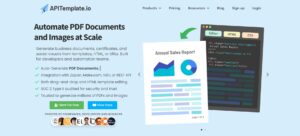
The developer-first platform for automating PDF and image generation at scale — built for SaaS products, marketing ops, and compliance teams.
Founded in 2020, APITemplate.io serves a different buyer: developers and automation teams who need to generate business documents, certificates, and social visuals from reusable templates, HTML, or URLs with seamless integrations. It’s not a manual watermarking tool — it’s an API that embeds watermarks (or any dynamic content) into PDFs and images programmatically.
The platform’s core strength is infrastructure: it’s supported 30+ million generated files and 99.99% uptime. That’s enterprise-grade reliability, which matters when you’re auto-generating 10,000 invoices per month or watermarking user-uploaded content in real time.
Deployment options:
- Drag-and-drop visual editor — requiring no coding, suitable for marketing teams who need to template certificates or social graphics
- HTML to PDF API — for developers who want full CSS control
- REST API — for integrating into existing workflows (CRMs, e-commerce platforms, LMS systems)
| Plan | Price | Monthly quota |
| Free | $ 0 | 50 images, PDFs /month |
| PDF Basic | $19 | 3000 PDFs/month |
The free tier includes 3 Templates and integrations with REST API, Zapier, N8n, and Airtable. The platform also provides stock images from Unsplash and Pexels directly in the editor.
iLovePDF
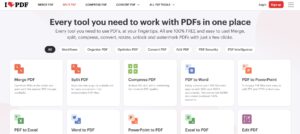
The free-tier favorite for occasional users who need watermarking plus 20+ other PDF tools without a subscription.
Founded in 2010, iLovePDF is the PDF software trusted by millions of users worldwide. It’s a browser-based platform offering every tool you need to work with PDFs in one place. All are 100% free and easy to use. The free tier includes Merge PDF, Split PDF, Compress PDF, Watermark PDF, and Edit PDF — no credit card required.
The platform’s security posture is a key differentiator. iLovePDF complies with enterprise-grade security and compliance standards and explicitly states we comply with EU Data Protection Regulation, which is one of the strictest safety standards in the world (GDPR).
Files are kept for a maximum of 2 hours so you can download them. Right after, they are completely removed forever from our servers.
Pricing tiers:
- Free: Includes PDF Reader and access to all tools with limited processing
- Premium Monthly: €9/month with unlimited document processing across Web, Mobile, and Desktop
- Premium Yearly: €60/year with unlimited document processing across Web, Mobile, and Desktop
The premium tier unlocks unlimited document processing, access across Web, Mobile, and Desktop, Digital Signatures, and priority customer support. It also includes 2.000 AI Credits for AI-powered PDF tasks (likely OCR or auto-tagging).
iLovePDF integrates with Google Drive and Dropbox, letting users import files straight to our page, process them, and save them back to the cloud.
FAQ
Q: Can I watermark PDFs offline?
A: Yes, but only with desktop apps. Sejda and Visual Watermark offer offline modes where all processing happens directly in your browser or desktop app with no files sent to servers. Browser-based tools (Watermarkly, iLovePDF) require the internet for all operations.
Q: How many PDFs can I watermark in one batch?
A: Watermarkly claims to watermark 100 photos, images, and pictures in under 5 minutes. Visual Watermark handles up to 50 000 photos offline. Free tiers typically cap at 10-20 files per batch.
Q: Are my files secure?
A: Tools with local processing (Visual Watermark, Sejda Desktop) never upload files. Browser-based tools (iLovePDF, Watermarkly) upload to servers but claim GDPR compliance and automatic deletion. iLovePDF states files are kept for a maximum of 2 hours, then completely removed forever from our servers.
Q: Do watermarked PDFs lose quality?
A: Not if the tool uses lossless compression. Check whether the platform re-encodes PDFs or simply overlays watermark layers. Sejda and iLovePDF explicitly support Compress PDF and Compress PDF as separate tools, suggesting they handle encoding carefully.
Conclusion
We evaluated these tools using three main criteria: documented history (founding year and user base), pricing clarity (visible plans instead of “contact sales”), and practical features such as batch support, deployment type, and privacy standards.
The big challenge for content creators is simple — files spread faster than they can be protected. The wrong watermark tool ends up costing time or compromising your documents.
Each of the platforms above handles a different part of the problem. Watermarkly excels at quick multi-format work, Sejda fits offline workflows, Visual Watermark handles large desktop batches, APITemplate.io is built for automation, and iLovePDF is ideal for testing on a free account. Match your needs to the table, try the free versions, and only upgrade once you’re sure.